
Physical and configured network infrastructure
Data Cabinet & Patch Panel Installation Across Scotland
Pre-built or on-site data cabinets, patch panels, structured cabling, cabinet clean-ups, active-equipment configuration, Layer 3 VLAN routing and protected power for commercial and operational sites.
WB Electrical can take a cabinet from survey and equipment sourcing through assembly, installation, cabling, switch or router configuration, power, testing and handover. The scope can be a single cabinet clean-up, a new communications room or a repeatable multi-site build.

One coordinated cabinet package
Cabinet, cabling, network equipment, configuration, electrical supply, UPS protection, labels and handover can be defined together.
Pre-built or on site
Choose the build method around access, cable entries, weight and change risk
Passive and active
Patch panels, cabling, switches, routers and configuration within one stated scope
Clean-ups with control
Trace, approve, change, verify and document before unknown services are disturbed
Power and resilience
Electrical supplies, rack PDUs, UPS and protection coordinated with the real load
Start with the operational requirement
New Cabinets, Existing Problems and Network Changes
The cabinet is the working interface between building cabling, active equipment, power and the people supporting the network. The right service depends on whether WB is creating that interface, recovering it or changing the network it contains.
New premises and fit-outs
New Cabinet and Communications Room
A cabinet, rack layout, patching, active equipment, electrical supply and cabling package planned around the site, network brief and future service access.
Repeatable branch or estate standards
Pre-Built Cabinets for Site Rollouts
Cabinets assembled, labelled and configured at WB premises before controlled transport, positioning, final cabling and on-site acceptance.
Existing rooms and constrained spaces
Cabinet Replacement or Relocation
Survey, dependency mapping, new cabinet preparation and planned transfer of retained patching and equipment into a suitable position.
Unlabelled or difficult to maintain
Cabinet Clean-Up and Rewire
Tracing, schedules, patch-lead replacement, cable management, re-termination and authorised removal of redundant cabling through a controlled change plan.
Beyond the passive installation
Switch, Router and VLAN Configuration
Documented Layer 2 and Layer 3 configuration where included, from management and port settings to VLANs, SVIs, inter-VLAN routing and agreed traffic controls.
Protect essential connected systems
UPS and Cabinet Power Protection
Electrical supplies, rack PDUs, UPS equipment, surge-protection interfaces and monitoring provisions coordinated with the cabinet load and required runtime.
From enclosure to configured equipment
What a Complete Data Cabinet Package Can Include
The quotation identifies each passive, active and electrical element, the technical owner and the evidence required at handover.
Cabinets, Racks and Mounting
Wall-mounted or floor-standing equipment selected and positioned for the actual site and load.
- Cabinet height, width, depth and usable U space
- Equipment mass, rails, shelves and support
- Doors, sides, locks and maintenance access
- Fixings, plinths, castors and site positioning
Patch Panels and Terminations
Permanent cabling presented through an organised, traceable cabinet interface.
- Copper patch panels and modular hardware
- Cable preparation, termination and strain control
- Panel, port, outlet and cable identification
- Patch schedules and agreed test records
Equipment and Cable Management
Active equipment and patching arranged for safe access, airflow and later change.
- Switches, routers, gateways and controllers
- Horizontal and vertical cable managers
- Patch-lead lengths, colours and routes
- Blanking, shelves and maintainable service loops
Associated Structured Cabling
The cabinet can form part of a complete physical network installation rather than an isolated rack task.
- CAT6 and CAT6A cable routes
- Data outlets and device connections
- Containment, supports and penetrations
- Links to access points, cameras and connected equipment
Electrical Supplies and Rack Power
Power infrastructure coordinated with the installed load, equipment instructions and maintenance needs.
- Dedicated or local electrical supplies
- Isolation and circuit identification
- Rack PDUs and equipment connections
- UPS, surge and earthing interfaces
Schedules and Handover Records
Completion information prepared for the people who will operate and support the cabinet.
- Rack elevation and equipment references
- Port, outlet, VLAN and IP schedules as applicable
- Configuration exports and asset records
- Photographs, test outputs, snags and exceptions
Where a project specifies formal cabling requirements, the installation and records should follow the issued specification. BSI describes BS EN 50174-1 as covering installation specification, quality assurance, documentation and administration, while BS EN 50174-2 addresses planning and installation practices inside buildings.
Reduce site work without ignoring site reality
Pre-Built at WB Premises or Assembled On Site
Both methods can produce the same documented result. The decision is based on transport, access, cabinet weight, cable entry, existing services, outage risk and how much equipment can be safely installed before the cabinet reaches its final position.
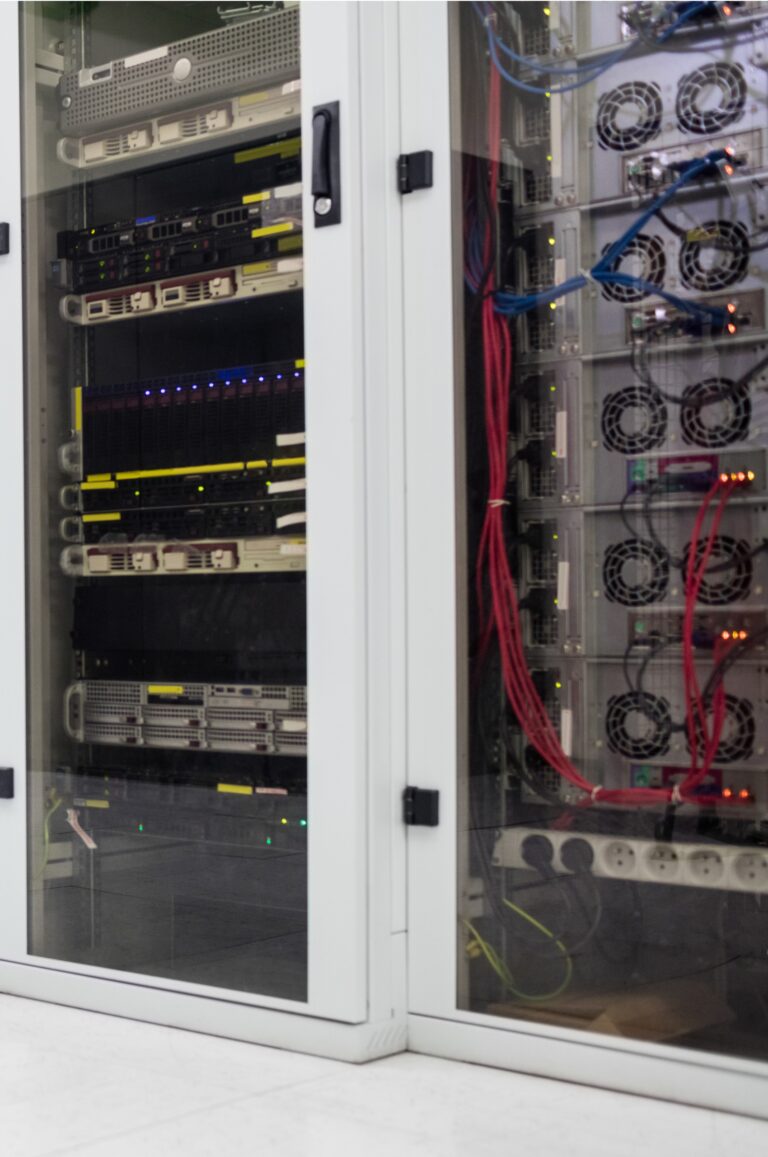
A practical build-method decision
Pre-Build What Can Be Standardised, Finish What Belongs to the Site
Off-site preparation can improve consistency and reduce time in occupied, secure or remote locations. It does not remove the need to confirm the final route, floor or wall support, supply, ventilation, cable entry, earthing, network uplinks and acceptance checks at the destination.
Transport control matters: installed weight, centre of gravity, removable equipment, packaging, lifting method, doors, stairs and final positioning are assessed before a populated cabinet is moved.
Prepared at WB premises
Off-Site Cabinet Pre-Build
Suitable cabinets can be assembled away from the live site, reducing the work needed in a busy communications room or remote location.
- Cabinet hardware, rails, shelves and cable managers
- Patch panels, PDUs, UPS and active-equipment mounting
- Standard labels, port references and rack layout
- Bench configuration and configuration backup where included
- Photographic checks before protected transport
- Final site cabling, power and acceptance still completed on location
Built in its final location
Complete On-Site Cabinet Build
On-site assembly is appropriate where the cabinet is large, the route is restricted, existing cable tails must be retained or active services need staged migration.
- Room, route, access and fixing review
- Assembly around existing containment and cable entries
- Termination of permanent links at the final position
- Equipment installation and live-service coordination
- Planned change windows and rollback points
- Final labelling, testing and support handover
Repeatable but site-aware
Hybrid Build and Multi-Site Rollout
A standard cabinet design can be pre-built and repeated while allowing controlled variations for local power, access, device counts, cable entry and environmental constraints.
- Approved standard bill of materials
- Pilot cabinet and site acceptance
- Site-specific deviation schedule
- Serial, asset and configuration records
- Consistent photographs and completion packs
- Snag and exception route back to the technical owner
Source equipment that fits the actual installation
Cabinet and Equipment Selection Is More Than a U Count
WB can procure the agreed cabinet and equipment package or build around client-supplied hardware. Either route needs a controlled bill of materials, compatible dimensions and a named decision-maker for substitutions.
Cabinet Size, Load and Access
U count is only one cabinet decision.
- Deepest equipment, rear connections and rail range
- Static load, heavy equipment and safe handling
- Door swing, removable panels and working clearance
- Cable entry, containment interface and future capacity
Environment and Thermal Conditions
The room and enclosure must suit the installed equipment.
- Manufacturer temperature and humidity limits
- Heat output, airflow path and ventilation
- Dust, moisture, corrosion and accidental impact
- Security, access control and fire-compartment interfaces
Passive, Active and Power Equipment
WB can source an agreed bill of materials or install client-supplied equipment.
- Cabinets, patch panels and cable management
- Managed switches, routers and gateways
- Rack PDUs, UPS and monitoring accessories
- Licensing, subscriptions, warranties and ownership recorded
Procurement records should identify the approved manufacturer and model, quantities, licences, subscriptions, warranty route, serial or asset references, client ownership and any equipment supplied for later configuration by another party.
Improve the cabinet without creating a mystery outage
Data Cabinet Clean-Ups, Re-Patching and Controlled Rewires
A tidy cabinet is useful only when the new layout is traceable and the services still work. Existing work therefore begins with evidence and authorisation, then proceeds through staged physical and configuration changes.
01
Record Before Touching
Photograph the cabinet, identify equipment, links, power and known service dependencies, and obtain the existing network information available.
02
Trace and Schedule
Trace agreed patching and permanent cabling, record labels and discrepancies, and distinguish active, spare, unknown and potentially redundant connections.
03
Approve the Change Plan
Agree outage windows, service priorities, removals, replacement patch leads, target layout, rollback points and the person authorised to make network decisions.
04
Re-Patch, Re-Terminate or Rewire
Carry out the authorised physical changes in controlled stages, keeping power, patching and configuration work aligned with the approved sequence.
05
Verify Services and Records
Complete the stated cable checks, device and link checks, configuration verification and client or IT acceptance before closing the change window.
06
Hand Over a Maintainable Cabinet
Provide the agreed rack view, port and outlet schedule, configuration record, photographs, removed-item list, snags and recommendations.
Configuration can be part of the cabinet package
Managed Switching, VLANs and Layer 3 Internal Routing
WB has the networking capability to configure suitable cabinet equipment where that work is deliberately included. The configuration is documented against the approved addressing, device groups, traffic policy, management method and acceptance tests.
Managed switching foundation
Layer 2 Switching and VLANs
The commissioned configuration can establish the logical interfaces used within the cabinet and across approved uplinks.
- Management addressing and secure administration path
- VLAN creation, naming and documented purpose
- Access, trunk and approved native-VLAN settings
- PoE, link aggregation and port descriptions where required
- Unused-port and management-interface controls
- Configuration export and port or VLAN schedule
Internal routing where required
Layer 3 Inter-VLAN Routing
Suitable Layer 3 equipment can route between internal VLANs within a documented addressing and policy design.
- Switched virtual interfaces and gateway addresses
- Inter-VLAN routing and routed uplinks
- Static or default routes and DHCP relay
- Access-control lists where the platform and brief support them
- Routing and reachability checks against acceptance criteria
- Configuration backup and controlled rollback information
Configuration must have an owner
Security, WAN and Support Boundaries
Network configuration is included only to the agreed cabinet-level scope, with ownership and acceptance named before access is granted.
- Client or IT party approves user, device and trust groups
- Firewall, carrier, WAN and cloud policy are separately defined
- Credentials use a client-approved secure handover method
- Firmware, licences, subscriptions and vendor accounts are recorded
- Ongoing monitoring and support require a separate agreement
- Business application and cybersecurity acceptance remain explicit
Join the network and electrical scope
Cabinet Power, UPS Backup and Equipment Protection
A cabinet is only as useful as its supply and power-distribution plan. WB can coordinate the fixed electrical work, rack power, UPS and monitoring interfaces around the actual connected load and the client’s resilience objective.
Supply, Isolation and Distribution
The cabinet load is coordinated with the fixed electrical installation and maintainable rack distribution.
- Connected and prospective equipment loads
- Dedicated or local circuit and protective devices
- Isolation, labelling and socket or IEC interfaces
- Rack PDU orientation, outlet count and spare capacity
UPS Selection and Runtime
A UPS is selected around the real load, required autonomy, equipment compatibility and operating environment.
- Watts, VA, power factor and PoE demand
- Required runtime and graceful-shutdown objective
- Line-interactive or online topology where appropriate
- Rack space, weight, ventilation and battery access
Protection, Monitoring and Maintenance
Resilience depends on how the equipment is protected, monitored and maintained after installation.
- Surge-protection and earthing interfaces assessed
- UPS alarms, network cards and monitoring ownership
- Battery inspection and replacement planning
- Bypass, generator and shutdown interfaces where specified
UPS runtime is a calculated output, not a fixed product promise. Schneider Electric’s UPS selection guidance confirms that runtime depends on connected load and the technical characteristics of the chosen UPS. Future load, PoE equipment, battery condition and the required shutdown or continuity objective must be included in the brief.
Name the owner of every technical decision
A Clear Boundary Between Cabinet Delivery and Network Ownership
WB can own a substantial cabinet-level network package, including documented Layer 2 and Layer 3 configuration. The remaining business, security, carrier and support responsibilities still need named owners so the installation can be accepted and maintained.
Expressly included WB scope
What WB Can Deliver and Configure
The quotation can bring together:
- Survey, cabinet and equipment specification
- Procurement, pre-build and on-site installation
- Structured cabling, patching, labels and tests
- Switch, router, gateway and cabinet equipment mounting
- Layer 2 VLAN and supported Layer 3 routing configuration
- Electrical supply, rack PDU, UPS and protection
- Configuration exports, schedules, photographs and handover
Client or nominated IT authority
What Must Be Defined or Separately Agreed
The responsible organisation should confirm:
- Business services, users, devices and trust boundaries
- Addressing, permitted traffic and security policy approval
- Firewall, Internet, carrier, WAN and cloud responsibilities
- Accounts, credentials, licences and subscription ownership
- Application, user, performance and cybersecurity acceptance
- Monitoring, patching, backups and ongoing support
- Change authority, outage approval and escalation route
From cabinet brief to accepted network
How a Data Cabinet Project Is Delivered
The delivery sequence connects physical installation, equipment configuration, power and operational acceptance. It works for one cabinet and can also be standardised across a larger estate.
01
Define the Requirement
Confirm the sites, users, devices, active-equipment owner, security inputs, power and resilience objectives, records and target programme.
02
Survey the Location
Review room conditions, access, cabinet route, structure, cable entries, containment, existing services, electrical supply, outages and retained infrastructure.
03
Agree the Cabinet Pack
Set the cabinet and equipment schedule, rack layout, patching, labels, network configuration, power, tests, change controls and acceptance responsibilities.
04
Source and Pre-Build
Procure approved equipment and complete the agreed off-site assembly, labelling, configuration and checks, or prepare the materials for an on-site build.
05
Install, Migrate and Connect
Position and secure the cabinet, complete power and cabling, transfer authorised services, apply the configuration and resolve recorded exceptions.
06
Verify and Hand Over
Complete the agreed physical, electrical and network checks, obtain technical acceptance and issue the cabinet, port, power, asset and configuration records.
Cabinet delivery changes with the premises
Network Cabinets for Commercial and Operational Sites
Room conditions, access, resilience, technical governance and permitted outage vary significantly between a branch office, factory, remote utility site and public estate. The cabinet pack and installation method should reflect those differences.
Offices and Commercial Premises
New fit-outs, comms-room upgrades, desk and access-point cabling, cabinet moves and live patching changes planned around occupied premises.
- Branch and head-office cabinets
- Moves, additions and changes
- Voice, data, guest and device VLANs
- Out-of-hours migration where agreed
Industrial, Warehouse and Logistics Sites
Protected cabinet positions, high-level routes, machinery interfaces and connected operational equipment coordinated with production and vehicle movements.
- Dust, impact and thermal conditions
- Operational and shutdown constraints
- CCTV, scanners, controls and access points
- Local power and protected routes
Utilities, Remote and Multi-Site Estates
Repeatable cabinet builds, routers, gateways, antennas, power and completion records for locations with limited local resources or difficult access.
- Pilot and standard cabinet packs
- Mainland, rural and island delivery
- Remote monitoring and communications equipment
- Site-specific deviation records
Public, Healthcare and Education Estates
Cabinet installation and migration delivered around controlled access, safeguarding, operational continuity and estate-specific technical governance.
- Authorised access and change windows
- Named IT and estate stakeholders
- Consistent labelling and asset records
- Site and procurement requirements

Current Scotland-wide delivery evidence
Cabinets and Connected Equipment Across Operational Utility Sites
WB is supporting a specialist connectivity provider across operational sites throughout Scotland, including island locations. The recorded delivery scope has included cabinets, routers, access points, structured cabling, terminations, external connectivity equipment, electrical supplies, access coordination, signal readings and consistent completion information.
This experience supports repeatable cabinet and equipment installations where the field package, local variations and handover records must remain aligned across a dispersed estate. Network configuration is included only where the approved project scope expressly assigns it to WB.
Connect the cabinet to the wider project
Related Cabling, Rollout and Backup-Power Services
These related routes cover the wider passive cabling, provider-led deployment and standby-power context.

Commercial Structured Data Cabling
CAT6, CAT6A, data points, terminations, containment, agreed testing and handover for the permanent physical network.
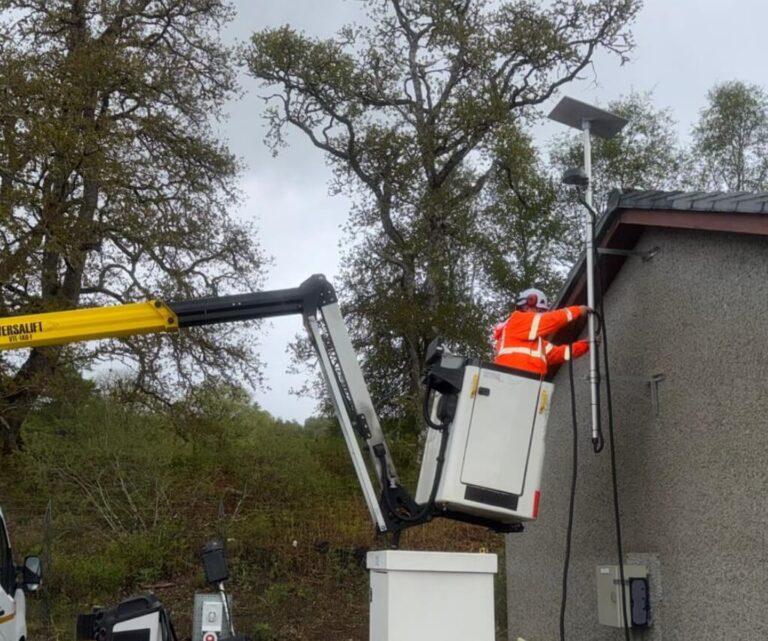
Multi-Site Data & Connectivity Delivery
Cabinets, equipment, power and repeatable physical delivery for organisations, MSPs, telecoms, IoT companies and connectivity providers across Scotland.
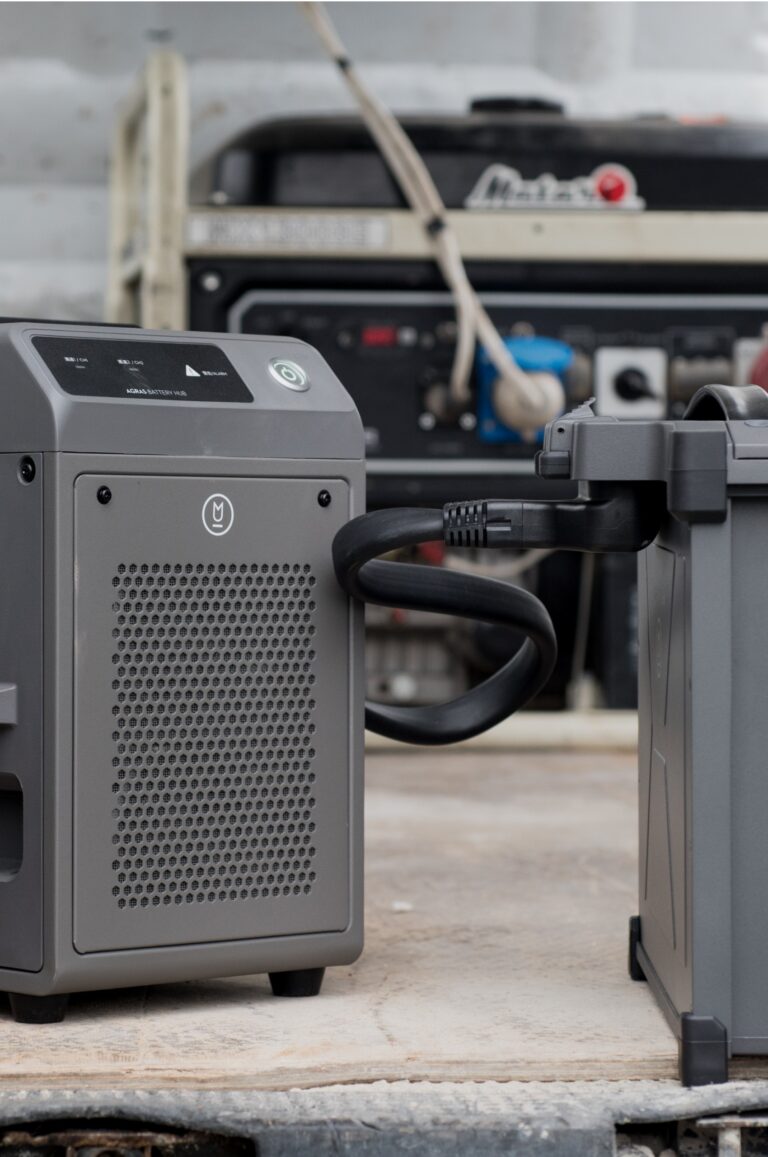
Backup & Standby Power Systems
Review the wider electrical resilience route where cabinet UPS equipment forms part of a larger backup or continuity requirement.
Common cabinet and network questions
Questions About Data Cabinets, Patching and Configuration
These answers cover off-site pre-builds, live cabinet clean-ups, equipment sourcing, structured cabling, Layer 3 routing, UPS protection and the information needed for a quotation.
What data cabinet and patch-panel work can WB Electrical provide?
WB can survey, source, pre-build and install wall-mounted or floor-standing cabinets, patch panels, cable management, structured cabling, switches, routers, gateways, rack PDUs and UPS equipment. Work can also include clean-ups, rewires, network configuration, testing, labelling and handover records where expressly included.
Can you build the cabinet before it reaches site?
Yes. Suitable cabinets can be assembled at WB premises with rails, shelves, patch panels, cable managers, PDUs, UPS and active equipment fitted, labelled and bench configured where included. Cabinet size, weight, transport route, site cable termination, final power and acceptance still need to be planned for the destination.
Can WB source the cabinet and network equipment?
Yes. WB can source an agreed cabinet, patch panels, cable management, switches, routers, gateways, PDUs, UPS units and accessories, or install client-supplied equipment. The quotation should identify approved manufacturers, specification responsibility, software or licence requirements, warranties and account ownership.
How do you choose the correct cabinet size?
Selection considers required U space, equipment depth and mass, rail range, patching and power layout, cable-entry direction, service clearance, airflow, spare capacity, security, environmental conditions, access route and the structure supporting the cabinet.
Can you clean up or rewire a live data cabinet?
Yes, but the work begins with records and an agreed change plan. Active services, unknown connections, outage windows, rollback steps and the person authorised to approve disconnections must be identified. A clean appearance is never a reason to unplug an unidentified or service-critical connection.
Can you replace patch panels or re-terminate cabling?
Yes. The scope can include tracing, replacement patch panels, damaged termination repairs, re-termination, new cable management, outlet and port labels, patch-lead replacement and agreed cable checks. Permanent-link testing is defined separately from simple continuity or link verification.
Can you install all the associated data cabling?
Yes. WB can coordinate CAT6 or CAT6A routes, containment, outlets, device links, cabinet terminations, patching, labelling and the agreed testing and handover package. The Structured Data Cabling page explains the wider passive-cabling service.
Can WB configure managed network switches and VLANs?
Yes. Where commissioned, WB can configure management addressing, VLANs, access and trunk ports, PoE, port descriptions, link aggregation and other supported switch features against the agreed network design and acceptance criteria.
Can WB configure Layer 3 routing between VLANs?
Yes. Suitable equipment can be configured with switched virtual interfaces, internal gateway addresses, inter-VLAN routing, routed uplinks, static or default routes, DHCP relay and supported access-control lists. The addressing, trust boundaries, permitted traffic and acceptance method must be approved before implementation.
Does using VLANs automatically make a network secure?
No. VLANs divide the network into logical segments, but Layer 3 routing can allow traffic between them. Security depends on the approved routing, access-control or firewall policy, protected management access, secure configuration, supported software and ongoing operation.
Can the cabinet include UPS backup and power protection?
Yes. WB can coordinate the electrical supply, rack PDU, UPS, surge-protection interface, monitoring accessories and equipment connections. UPS capacity and runtime depend on the actual load, power factor, PoE demand, required autonomy, battery condition and selected equipment, so runtime is calculated rather than assumed.
Can WB work with our IT provider or internal network team?
Yes. WB can deliver the complete agreed package or work to an issued cabinet, network and change specification. A responsibility matrix should identify who owns equipment selection, addressing, security policy, configuration approval, credentials, carrier services, application testing and ongoing support.
What information helps WB quote a cabinet project?
Useful information includes the site and cabinet locations, new or existing condition, device and port counts, photographs, current rack or network diagrams, equipment list, cabling routes, configuration requirement, IP and VLAN information, power and UPS objectives, outage restrictions, support contacts, required records and programme.
Share the cabinet and network requirement
Request a Data Cabinet Project Review
Send the site, cabinet, equipment, cabling, configuration and power information you already have. WB will identify the missing survey, technical-owner, change-control or acceptance details needed to define the next step.
A useful first brief can include
- Site address or multi-site schedule
- New, existing, replacement or relocation requirement
- Cabinet photographs, room layout or proposed position
- Approximate U size, port count and connected devices
- Equipment manufacturers, models, licences and ownership
- Current or proposed IP, VLAN and routing information
- Cabling routes, category and outlet schedule
- Electrical supply, PDU, UPS load and runtime objective
- Services that must remain available and change windows
- Testing, configuration and handover records required
- Internal IT, MSP or technical-authority contact
- Survey, pilot, installation or completion dates
Prefer to speak first? Call 01698 883232 or email info@wbelectrical.co.uk. Drawings, photographs, configuration exports and equipment schedules can be sent after initial contact using an agreed secure route.
Your information will be used to review and respond to this enquiry. Read the WB Electrical Privacy Policy.