
Cabling, PoE, mounting and approved network setup
Commercial Wi-Fi Access Point Installation Across Scotland
Commercial access-point infrastructure for offices, warehouses, industrial sites, venues, public estates, outdoor areas and multi-site programmes.
WB Electrical can install the physical and agreed configured system, from CAT6 or CAT6A backhaul, mounting and PoE through cabinets, switches, AP adoption, SSIDs and VLAN integration. Coverage, capacity and roaming outcomes are tied to the approved RF method and acceptance criteria, not promised from hardware alone.
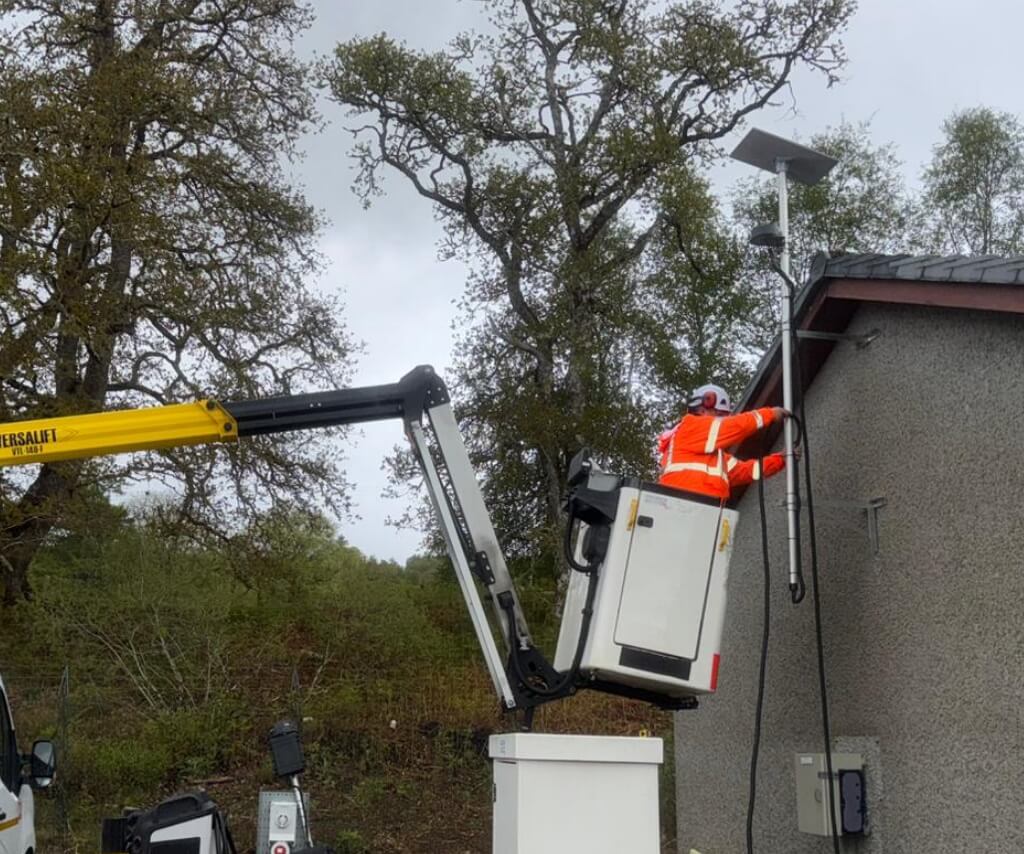
The AP is one part of the service path
Position, RF design, cable, PoE, switch, VLANs, gateway, security controls, WAN capacity and client devices all affect the result.
New, replacement and remedial work
Access points, cabling, mounts, PoE, switches, configuration and fault finding
Single and multi-site delivery
Scotland-wide installation, including operational, remote and island locations
Physical and configured scope
Structured cabling, power, cabinets, AP adoption, SSIDs, VLANs and routing as agreed
Test method stated before work
Cable results, AP checks and any RF validation defined in the quotation
Start with the operational need
What the Wi-Fi System Must Actually Support
A reliable commercial brief begins with people, devices and applications. These are the common requirements WB can translate into an installation, power, cabinet and agreed configuration scope.
Users report dead zones or unstable sessions
Coverage Gaps and Poor AP Positions
New or relocated access points, cabling and mounting based on an agreed location plan, with building materials, obstructions, ceiling height and later maintenance considered.
The signal exists but performance collapses
Capacity and Concurrent Devices
Infrastructure planned around the number and type of clients, applications and busy periods, rather than selecting access-point quantities from floor area alone.
People and devices move through the premises
Roaming and Operational Mobility
Consistent access-point installation for voice, tablets, scanners, handheld terminals and staff devices, with roaming behaviour accepted against the selected platform and client mix.
Different users need different network access
Staff, Guest and Device Separation
Approved SSIDs, VLAN mapping, switch ports and Layer 3 interfaces can be configured to the client or IT security policy, with firewall and identity controls owned by the responsible party.
The useful position is difficult to reach
High-Level, Industrial and Outdoor Areas
Safe access, secure mounts, suitable enclosures, protected routes and environmental requirements for warehouses, production spaces, yards, campuses and operational sites.
One standard must work across many locations
Pilot and Multi-Site Wi-Fi Rollouts
Repeatable AP kits, labels, cabinet ports, configuration records, photographs, test evidence and a clear exception route for commercial estates and technology partners.
Useful buyer guidance
Coverage, Capacity and the Wired Network
Wireless performance is shaped by the complete system. The project should resolve these three issues before anyone treats an access-point count as a finished design.
Two different questions
Coverage Is Not Capacity
A device may see a network name yet still perform poorly when too many clients share the available airtime, the application needs are high or the wired connection is constrained.
- Define required areas and excluded areas
- Record typical and peak client counts
- Identify voice, video, scanners, guest and operational traffic
- Set measurable acceptance criteria before installation
More access points can create new problems
AP Quantity Is Not a Design Method
Poor placement, excessive overlap, unsuitable channels or power levels and nearby interference can produce co-channel contention and inconsistent roaming.
- Use an issued plan or appropriate RF method
- Account for walls, metal, racking, machinery and floor levels
- Keep AP orientation and mounting instructions consistent
- Record deviations for technical approval
The complete path matters
Wi-Fi Depends on the Wired Network
Every AP relies on its cable, switch port, PoE allocation, VLANs, uplinks, internet or WAN service and the network services behind it.
- Check cabling category and permanent-link condition
- Confirm port speed and total PoE budget
- Coordinate DHCP, DNS, routing and firewall interfaces
- Include cabinets, UPS and licences in the design
Use the right level of evidence
Installation Survey, RF Design and Validation Are Different Tasks
A walk-through can resolve access and cable routes, but it is not automatically a predictive wireless design or a measured post-install survey. The quotation should name the method and deliverable.
Build from approved information
Installation to an Issued Wi-Fi Design
WB installs the stated APs at approved positions and connects them to the defined cabinet, switch ports and configuration. Any site condition that conflicts with the design is recorded before a change is made.
- Issued plans and AP references
- Approved equipment and mounting details
- Cable, port, VLAN and PoE schedule
- Defined tests and network acceptance owner
Resolve the physical delivery
Installation and Construction Survey
WB can survey routes, supports, ceiling or wall construction, high-level access, cabinet interfaces, power, penetrations and operational constraints before finalising the installation scope.
- Route lengths and containment
- Fixing surfaces and access equipment
- Fire compartments and asbestos information
- Cabinet capacity, switch ports and electrical supply
Use a specialist method when the outcome depends on RF
Predictive RF Design and Validation
Complex coverage, capacity, roaming, voice, location or warehouse requirements may need predictive modelling, an active or passive survey and post-install validation using suitable hardware and software. This is separately defined, not implied by a basic site visit.
- Requirements and floor plans suitable for modelling
- AP-on-a-stick or measured onsite survey where appropriate
- Spectrum and interference assessment
- Post-install measurements against agreed thresholds
Complete physical access-point infrastructure
What WB Electrical Can Install
The scope can run from the communications cabinet to the finished AP position, including the power and records needed for a maintainable installation.
CAT6 and CAT6A Backhaul
Permanent links from the communications cabinet to each approved AP position.
- Cable routes, supports and containment
- Patch-panel and device-end terminations
- Bend radius, separation and route protection
- Labels, schedules and the agreed test level
Indoor AP Mounting
Secure ceiling, wall, beam or suspended arrangements that preserve the intended orientation.
- Manufacturer brackets and approved fixings
- Ceiling-tile support where required
- Position coordinated with lights, services and partitions
- Access for reset, replacement and inspection
Outdoor and Rugged APs
Physical infrastructure for external or demanding locations using equipment suited to the environment.
- Wall, pole, frame or structure mounting
- UV, water, dust, impact and temperature considerations
- Weather-resistant routes and building entries
- Surge, earthing and lightning interfaces reviewed
PoE and Local Power
Power arrangements matched to the selected access point and its intended operating mode.
- Switch or injector compatibility
- Per-port requirement and total switch budget
- Cable and connector condition
- UPS scope for APs, switches, controllers and gateways
Cabinets, Switches and Uplinks
The AP installation connected into a maintainable wired network rather than left as an isolated cable.
- Patch panels, managed switches and cable management
- Port descriptions and approved VLAN settings
- Copper, fibre or WAN uplink interfaces
- Rack power, UPS and environmental checks
Testing and Handover
Physical and configuration records aligned with the contract and the party accepting the wireless service.
- Cabling results at the agreed test level
- AP adoption, link, PoE and status checks
- Port, AP, SSID and VLAN schedules as applicable
- Photographs, deviations, snags and configuration backup
Avoid hidden infrastructure bottlenecks
PoE, Cabling, Uplinks and Backup Power
A selected access point may power on without receiving the power or wired capacity needed for every feature. Model numbers, switch budgets and the complete service path need checking.
Match the AP Power Requirement
APs can require different PoE standards and power levels. Some models reduce radios, spatial streams, USB functions or other features when the available power is below the stated requirement.
- Confirm the exact AP model and mode
- Check switch port output and cabling loss
- Reserve sufficient total PoE budget
- Document injector use and power-source location
Check the Wired Link and Uplinks
A modern AP may support more than 1 Gbit/s at its Ethernet interface, but useful throughput still depends on the cabling, switch port, uplinks, client capabilities, RF conditions and upstream service.
- Select port speed from the approved design
- Test the installed permanent link as specified
- Check switch and cabinet uplink capacity
- Avoid speed promises based on the AP label
Protect the Complete Connectivity Path
A UPS that powers only the access points will not maintain service if the PoE switch, controller, router, firewall or internet handoff loses power.
- Define which devices must remain available
- Measure or obtain the equipment load
- Set the target runtime and shutdown behaviour
- Plan battery access, alarms, testing and replacement

Specify before procurement
The AP Data Sheet Is a Project Input
WB will need the exact model, mounting method, power requirement, Ethernet interfaces and platform dependencies. Cisco’s current AP power guidance demonstrates why power mode and supported features must be checked for the specific device.
- Do not specify PoE from the words access point alone
- Do not assume the existing switch can power a full new estate
- Do not promise client speed from an AP radio rate
- Do not omit controller, cloud, licence or gateway dependencies
Configuration capability with controlled boundaries
From AP Adoption to SSIDs, VLANs and Internal Routing
WB can configure supported active equipment where the network brief, credentials, licences, security ownership and acceptance checks are agreed. This remains a defined project scope, not an implied managed IT service.
Platform setup within an agreed brief
AP Adoption, Controller and Cloud Setup
WB can adopt compatible access points, apply approved firmware and site settings and record device names, serial numbers and management ownership where credentials, licences and acceptance requirements are available.
- Controller, gateway or cloud tenant identified
- Subscriptions and licences active
- Management addressing and device names agreed
- Administrative credentials transferred securely
Connect wireless users to the right network
SSIDs, VLANs and Layer 3 Integration
The configured scope can include SSIDs, VLAN mapping, switch-port settings, DHCP relay, gateway interfaces and internal inter-VLAN routing on suitable equipment.
- Staff, guest, operational and device groups
- VLAN IDs, subnets and gateway addresses
- Trunks, access ports and routed uplinks
- Reachability checks against approved rules
Security policy needs a named owner
Authentication, Firewall and Support Boundaries
WPA settings, 802.1X or RADIUS integration, guest access, firewall policy, content filtering and monitoring are implemented only from an approved security and identity design.
- Client or IT lead approves trust boundaries
- Identity services and certificates supplied where needed
- Logs, monitoring and alert ownership recorded
- Ongoing support requires a separate agreement
Choose against the use case
Wi-Fi 6, Wi-Fi 6E and Wi-Fi 7
WB can source or install suitable current equipment, but the generation badge is only one design input. Client capability, spectrum, licences, PoE, backhaul, security and support life still decide whether an upgrade creates value.
Wi-Fi 6
A mature option for many commercial environments, but performance still depends on the RF design, channel plan, client support, backhaul and application load.
Wi-Fi 6E
Adds access to 6 GHz capability on compatible equipment and clients. It does not replace the need to support devices using 2.4 GHz or 5 GHz, and UK regulatory settings must be correct.
Wi-Fi 7
Can add newer capabilities where the client mix, platform, wired links, PoE, spectrum and business case support them. A higher generation number is not a coverage guarantee.
Installation shaped around the premises
Commercial and Operational Wi-Fi Environments
The same access point can be straightforward in one building and unsuitable in another. WB plans the physical and agreed configuration work around access, operations, users and site conditions.
Offices and Commercial Premises
Staff, meeting-room, voice, guest and building-device connectivity coordinated around fit-outs, relocations, occupied floors and communications rooms.
- Ceiling and partition coordination
- Guest and corporate separation
- Meeting and collaboration spaces
- Phased work outside core hours
Warehouses and Logistics
Infrastructure for scanners, handhelds, terminals, cameras and mobile workflows where racking, stock, vehicles and high ceilings affect access and radio behaviour.
- High-level AP positions and safe access
- Racking and changing stock profiles
- Loading bays, yards and cold areas
- Roaming routes and operational acceptance
Industrial and Manufacturing
AP cabling, mounting, power and network integration around machinery, metal structures, shutdowns, permits and production constraints.
- Environmental and enclosure suitability
- EMC and interference concerns escalated
- OT and business-network boundaries
- Controlled change and completion records
Hospitality, Retail and Venues
Guest, staff, payment, booking and operational connectivity for hotels, bars, clubs, leisure premises, visitor sites and event spaces.
- Peak occupancy and busy periods
- Public access and acceptable-use ownership
- Listed or architecturally sensitive fabric
- Trading-hour and event-window planning
Public, Education and Healthcare Estates
Repeatable physical and approved configuration work across controlled sites with safeguarding, stakeholder, data-separation and operational-continuity requirements.
- Site access and escorted working
- Guest, staff and device groups
- Estate standards and asset schedules
- Handover to the responsible IT team
Remote, Utility and Multi-Site Locations
Access points delivered with cabinets, structured cabling, 4G, 5G or satellite equipment where dispersed locations need a documented and repeatable site pack.
- Mainland, Highland and island planning
- External and operational work areas
- Remote cabinets and protected power
- Pilot, exceptions and repeat rollout
Existing infrastructure can often be recovered
Wi-Fi Repairs, Remedials and Controlled Upgrades
A Wi-Fi problem is not always a failed access point. WB can trace the physical, power and approved configuration path, then separate repairable installation faults from issues needing RF, security, WAN or vendor support.
Weak Coverage After Site Changes
Partitions, racking, machinery, stock, room use and neighbouring networks change. WB can inspect the physical and configured installation and coordinate the RF assessment needed before relocating or adding APs.
Failed or Damaged Cabling
Fault tracing, replacement routes, damaged outlets, poor terminations, patching issues and agreed cable testing from the cabinet to the access-point position.
PoE and Switch Port Faults
Checks across the AP, patching, permanent link, switch port, power class, total budget and injector arrangement to distinguish a physical fault from a platform or configuration issue.
Loose, Unsafe or Unsuitable Mounting
Replacement brackets, fixings or support arrangements where access points have moved, been struck, hung from cabling or become difficult to maintain.
AP Replacement and Migration
Controlled swap, adoption, approved configuration, labelling and service checks for failed or end-of-support access points, including staged multi-site replacement programmes.
Cabinet and Configuration Clean-Up
Patch leads, switch ports, VLAN records, device naming, controller inventory and configuration backups brought into an agreed maintainable state without deleting unknown services by assumption.
Plan the installation safely
Access, Building Fabric and Outdoor Exposure
The proposed AP location must be installable, maintainable and suitable for its environment. Site controls and physical constraints should be known before labour and access equipment are committed.
Work at Height and Occupied Areas
Ceilings, atria, warehouses, roofs and external structures need task-specific access planning. Ladders, towers, scaffold or a MEWP are selected for the work and environment, with exclusion zones and rescue needs considered.
Building Fabric and Fire Compartments
Fixings, penetrations and cable routes must account for ceiling construction, structural suitability, asbestos information, compartment lines and the required fire-stopping method. Listed or managed buildings may require additional approval.
Outdoor Exposure and Maintenance
The AP rating does not validate the complete installation. Mounts, connectors, containment, entries, surge interfaces, corrosion exposure, wind, driven rain, temperature and later access all need review.
High-level access is planned in line with the task and site. See current HSE work-at-height guidance.
Make ownership explicit
WB Installation Scope and Network-Owner Decisions
Responsibilities can be combined or divided to suit the project. The important control is that each outcome has an owner before survey, procurement and change access begin.
WB Electrical, where included
Physical and Approved Configured Delivery
WB can take responsibility for the contracted installation and configuration tasks.
- Site and construction survey
- Cabling, containment, terminations and labels
- Indoor, outdoor and high-level mounting
- PoE, electrical supplies, cabinets, switches and UPS
- AP adoption and approved platform settings
- SSIDs, VLANs, ports and internal Layer 3 interfaces
- Contracted testing, photographs and handover records
Client, IT lead or wireless specialist
Requirements, Policy and Service Acceptance
The responsible network party supplies or approves the inputs that govern the wireless service.
- Required areas, users, applications and performance criteria
- Predictive RF and capacity design unless separately included
- AP positions, channel and transmit-power policy
- Addressing, trust boundaries and security policy
- Authentication, firewall, filtering and internet services
- Licences, subscriptions, credentials and ongoing monitoring
- Final wireless and business-application acceptance
A controlled route from brief to handover
How a Commercial Wi-Fi Installation Is Delivered
The process keeps physical installation, wireless design and network policy aligned, particularly when several contractors or many sites are involved.
01
Define Users and Applications
Record required areas, client types, peak numbers, mobility, voice, scanners, guest use, operational systems, security groups, resilience needs and measurable acceptance criteria.
02
Choose the Survey and Design Route
Confirm whether WB is installing to issued positions or whether predictive design, measured onsite survey, spectrum work or post-install validation must be separately included.
03
Survey the Physical Infrastructure
Check routes, distances, cabinets, switch ports, PoE, uplinks, ceilings, fixings, penetrations, access equipment, electrical supplies, working hours and site controls.
04
Agree Equipment and Responsibilities
Record APs, brackets, switches, injectors, licences, controller or cloud owner, SSIDs, VLANs, credentials, security policy, tests, records and the person accepting each outcome.
05
Install and Configure
Complete the approved cabling, terminations, mounting, power, cabinet, switch and configuration work. Record deviations and obtain approval before changing issued AP positions or network policy.
06
Test, Validate and Hand Over
Provide the contracted cable results, AP and PoE status, configuration exports, schedules, photographs and snags. Complete RF validation only where the method and thresholds are expressly included.
Relevant Scotland-wide delivery experience
Connected Infrastructure Across Operational Sites
WB already supports repeat connectivity work where access, external equipment, cabinets, power, data and evidence must be coordinated across dispersed working locations.
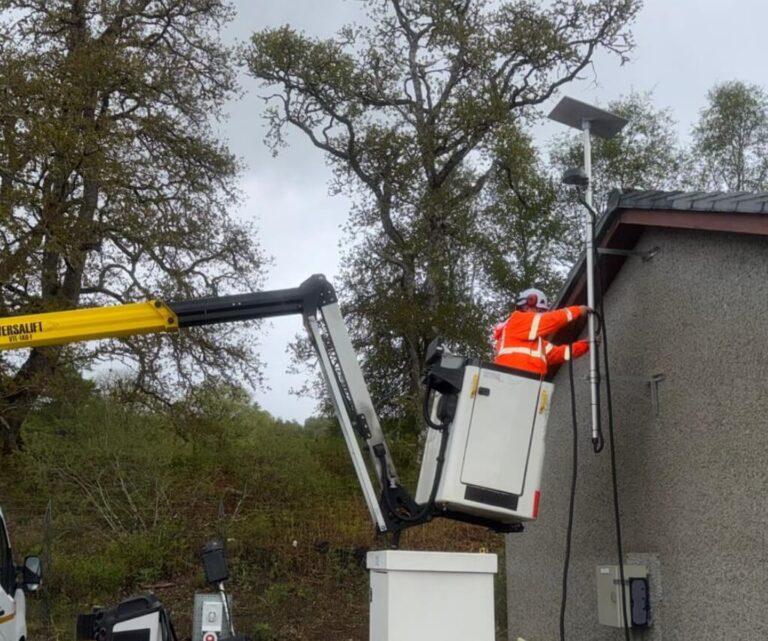
Scotland-Wide
Utility Connectivity Programme
WB has delivered repeat physical connectivity work across operational sites throughout Scotland, including island locations. The recorded scope has included access planning, proposed equipment positions, external equipment, weather-resistant cable routes and entries, routers, cabinets, access points, terminations, power and completion records.
Responsibility boundary: the appointed connectivity provider retained the digital solution, hardware selection and network-performance responsibilities while WB delivered the agreed physical site work. On projects where WB configuration is commissioned, the approved settings and acceptance owner are recorded separately.
- Repeatable site packs and exception reporting
- Operational, high-level, rural and island access
- Cabling, cabinets, access points and power coordinated
- Photographs, labels, readings and completion information
Build the complete connected-site package
Related Data and Connectivity Services
Access points depend on the infrastructure around them. These adjacent WB services can be commissioned together or used to resolve the surrounding installation.
Commercial Structured Data Cabling
CAT6 and CAT6A permanent links, data points, patch panels, containment, labelling and agreed test records for access points and wider connected equipment.
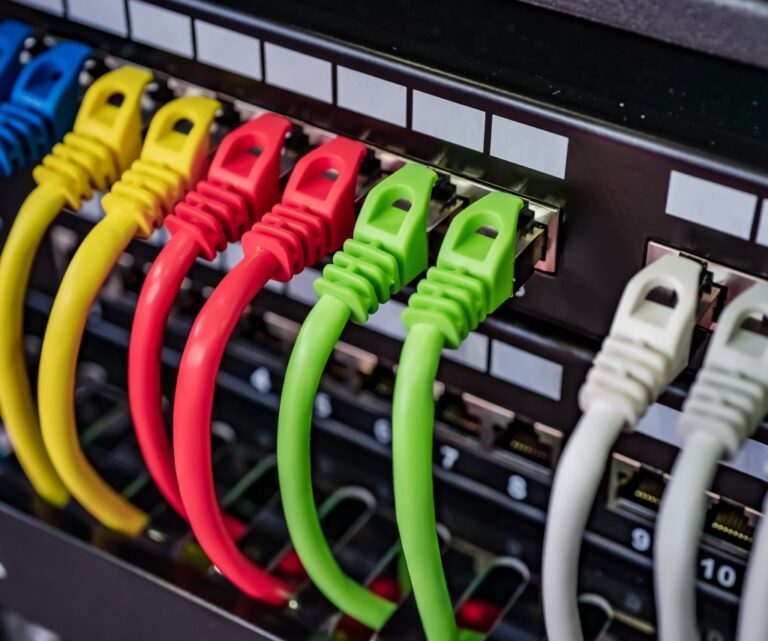
Data Cabinets and Patch Panels
New, pre-built and site-built cabinets, clean-ups, managed switches, VLANs, Layer 3 routing, UPS and configuration handover.
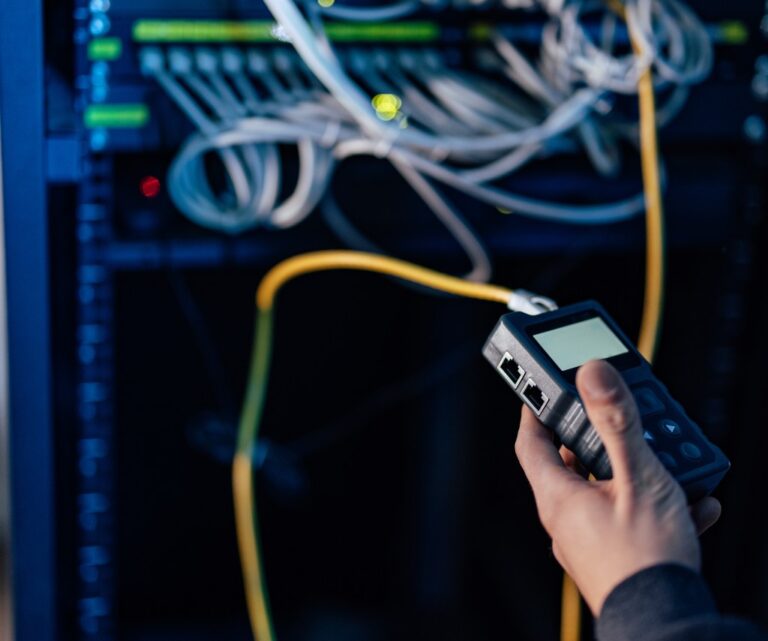
Connectivity Installation Partner
Survey, pilot, install-only and repeat field delivery for MSPs, telecoms, IoT companies, vendors and connectivity providers across Scotland.
Project summary
Key Takeaways for a Better Wi-Fi Installation
A well-installed access point still needs the right position, wired infrastructure and approved network design. Keep these decisions together.
- Define required coverage, capacity, mobility, users and applications before choosing AP quantities
- State whether the project uses issued positions, predictive RF design, onsite survey or post-install validation
- Check every AP model against cabling, port speed, PoE budget, licences, controller and upstream network capacity
- Approve SSIDs, VLANs, addressing, authentication, security boundaries and acceptance ownership before configuration
- Plan safe access, mounting, building penetrations, outdoor exposure, testing and handover as part of the installation
- Use a pilot and repeatable site pack for multi-site programmes, with deviations approved rather than improvised
Questions buyers ask before installation
Commercial Wi-Fi Access Point FAQs
These answers define the practical installation, configuration and responsibility boundaries. The quotation and issued design govern the final project scope.
What does a commercial Wi-Fi access-point installation include?
The agreed scope can include the site and construction survey, CAT6 or CAT6A cabling, containment, terminations, access-point mounting, PoE or local power, cabinets and switches, AP adoption, approved SSID and VLAN configuration, cable testing, status checks, labels, photographs and handover records. RF design and performance validation are stated separately.
Can WB Electrical design the Wi-Fi network?
WB can install to an issued design and can help define the physical and configured infrastructure. A complex wireless design may require predictive RF modelling, an active or passive survey, spectrum analysis and post-install validation using suitable specialist tools. Those tasks are included only when the exact method, competence, deliverables and acceptance criteria are agreed.
Can you configure access points, switches and VLANs?
Yes. WB can adopt compatible APs and configure agreed SSIDs, VLAN mapping, switch ports, management addressing, gateway interfaces, DHCP relay and internal Layer 3 routing on suitable equipment. The client or appointed IT lead approves addressing, trust boundaries, authentication, firewall policy, credentials and acceptance requirements.
Do you install Wi-Fi 6, Wi-Fi 6E and Wi-Fi 7 access points?
Yes, subject to the selected equipment, platform, client compatibility and approved design. The generation alone does not determine coverage or useful performance. PoE, wired port speed, uplinks, licences, UK regulatory settings and the existing device mix must also be checked.
Can you guarantee Wi-Fi coverage or speed?
No blanket coverage, speed or roaming promise is appropriate without defined requirements, a suitable design and an agreed validation method. Performance also depends on client devices, interference, user demand, applications, wired infrastructure, WAN service and later environmental changes. WB can test and record the outcomes expressly included in the contract.
How many access points does our building need?
Floor area alone is not enough to answer this. The quantity and positions depend on building materials, layout, levels, users, devices, applications, required signal and capacity, interference, mounting constraints and the selected hardware. An issued design or appropriate survey should set the starting point.
Can you install access points in warehouses and industrial sites?
Yes. WB can plan cabling, high-level access, mounts, PoE, cabinets and agreed configuration around racking, machinery, metal structures, vehicles, stock, permits and live operations. Complex RF behaviour and roaming requirements should be assessed with an appropriate wireless survey method.
Can you install outdoor Wi-Fi access points?
Yes, where the equipment, mount, cable route, entry, environment and access plan are suitable. The installation must account for weather, UV exposure, temperature, water and dust ratings, corrosion, wind, impact, surge and lightning interfaces and future maintenance. Outdoor performance remains design and site specific.
Can you repair weak or unreliable business Wi-Fi?
WB can investigate cabling, patching, PoE, switch ports, mounting, AP status and approved configuration, then repair or replace the agreed physical components. If the cause is RF coverage, interference, capacity, roaming, client compatibility, firewall policy or WAN performance, the relevant survey or technical owner must be included.
Can you use our existing access points and switches?
Potentially. WB will need the models, condition, support status, licences, credentials, capacity, PoE budget, configuration and compatibility with the proposed design. Retaining equipment should be an approved decision, not an assumption based only on it powering on.
Does every access point need a separate data cable?
A conventional enterprise installation normally uses a dedicated Ethernet link from each wired AP to the relevant switch or patch panel. Mesh or wireless backhaul may be appropriate in some designs, but capacity, resilience, power and maintenance trade-offs must be accepted by the network owner.
Can you separate guest Wi-Fi from staff and operational devices?
Yes, WB can implement the approved SSIDs, VLANs, switch and Layer 3 interfaces. Effective separation also depends on authentication, firewall and access-control rules, identity services, internet breakout and monitoring. The responsible security or IT party must approve those policies.
Can you support a multi-site Wi-Fi rollout across Scotland?
Yes. WB can use a pilot to confirm the standard AP kit, mount, cable, cabinet port, PoE, configuration, labels, tests, photographs, handover and exception process before repeating the approved installation across mainland, Highland and island locations.
What information helps WB prepare a Wi-Fi quotation?
Useful inputs include site plans, required areas, user and device counts, applications, current issues, existing AP and switch details, issued RF design, AP schedule, cable routes, cabinet and PoE information, SSID and VLAN brief, security owner, access constraints, working hours, test requirements and programme.
Share the site, users and network information
Discuss a Commercial Wi-Fi Installation, Repair or Rollout
Send the information you already have. WB will review the physical, power and agreed configuration scope, identify missing RF, access, equipment, licence or security inputs and advise on a practical next step.
A Useful First Brief Can Include
- Company, site contact and technical owner
- Site address or complete multi-site schedule
- Floor plans, required areas and any issued AP positions
- Current Wi-Fi issue and business impact
- Typical and peak users, devices and applications
- Existing and proposed AP, controller and switch models
- Cabinet locations, cable routes, port speeds and PoE information
- SSIDs, VLANs, addressing and authentication brief
- RF survey, design and validation information available
- Ceiling, roof, outdoor, high-level and operational access constraints
- Working hours, outage windows and programme
- Cable, configuration, photograph and handover records required
Prefer to talk first? Call 01698 883232 or email info@wbelectrical.co.uk. Plans, AP schedules, photographs and configuration information can be sent securely after initial contact.
Your information will be used to review and respond to this enquiry. Read the WB Electrical Privacy Policy.